Exploring Dragon Copilot?
Read how recording, draft notes and clinician review work. Ask which features and preparation apply to your team.
Read the product overview
Ask about Dragon Copilot, Dragon Medical One or help with your current setup.
Tell us which documentation tasks take too long and whether you need product guidance, setup help, provider training or support. A specialist can discuss requirements, services and costs.

Read the product or service details, then use the specialist inquiry to ask about your setup.
Read how recording, draft notes and clinician review work. Ask which features and preparation apply to your team.
Read the product overviewCompare dictation and encounter-based drafts, including the work needed to review and complete a note.
Compare the productsGet guidance on your existing setup, Dragon Copilot questions, training and support.
Read DAX guidanceReview implementation, training, workflow optimization and support topics. Ask about scope and costs.
See service topicsReady to ask a question? Open the specialist inquiry
Have an existing support issue? Use customer support
Describe the task you want to improve. The examples below can help you explain your needs in the specialist inquiry.
Describe the words, dictation habits or microphone problems that need repeated correction. Ask about vocabulary, audio setup and training.
Ask about dictation correctionsTell us which tasks providers need to practice: dictation, recording, reviewing notes, corrections or EHR completion.
Ask about provider trainingDescribe repeated typing, note edits, commands or text transfers. Discuss which configuration or training changes could reduce that work.
Discuss repeated documentation tasksName the product you use today. Ask what would change, what needs technical preparation, and which licensing or training costs apply.
Ask about product optionsDescribe your microphone, room conditions and devices. Ask which equipment and configuration would support the intended workflow.
Ask about microphone setupAsk about troubleshooting, refresher training and support scope. For an existing customer support issue, use the separate customer support path.
Discuss ongoing supportChoose the services you want to discuss. Confirm scope, availability, responsibilities and costs before booking or purchasing.
Discuss installation, EHR requirements, microphone configuration and who is responsible for each preparation task.
Ask about implementationAsk about recording or dictation, note review, corrections and completion using your team’s everyday documentation tasks.
Ask about trainingReview repeated edits, text entry and handoffs. Discuss changes that could reduce manual work in your existing setup.
Ask about workflow optimizationAsk about troubleshooting, refresher training and ongoing help. Existing customer issues should use the customer support path.
Ask about support servicesTime-saving opportunities
Dragon Copilot can prepare draft documentation from recordings and supports dictation. Ask which tasks could change in your setting. Time saved depends on your setup, training and use.
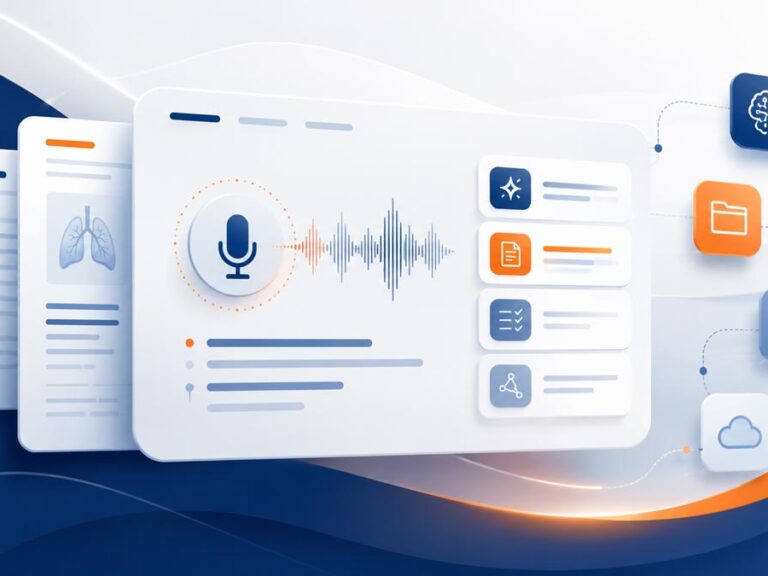
Use encounter recordings to prepare draft documentation for clinician review.
Ask about note preparationDescribe edits or text-entry steps your team repeats. Ask about configuration and training to reduce that work.
Discuss documentation tasksClinicians check generated content, correct errors and complete the note. Plan who performs each step.
Ask about review and trainingUsing Dragon Medical One or DAX Copilot? Discuss the tasks you need to keep, available product options, EHR requirements, licensing and training before deciding on a change.
Compare dictated text with encounter-based drafts and the work needed to complete each note.
Read the comparisonRead guidance for your existing setup and questions about Dragon Copilot, training or support.
Read DAX guidanceInclude current tools and tasks in your message. Ask about access, technical preparation, training scope and costs.
Discuss my current setupTell us how you capture audio today, which devices you use and whether you need dictation or encounter recording. Ask about microphone options, configuration, compatibility and costs.
Include room conditions, background noise or recurring recognition problems in your message. Equipment requirements depend on the software and environment you plan to use.
Ask about your current equipment or options such as Philips SpeechMike. Confirm compatibility and the intended recording setup before choosing hardware.
Use the product pages to prepare questions. A specialist inquiry lets you discuss software options, requirements, training and costs.
Read about recording, draft notes, dictation and clinician review.
Read the product overviewRead about dictation, reusable text, commands, setup and training.
Read about Dragon Medical OneRead guidance on your existing setup, product questions and service needs.
Read DAX guidanceReview microphone information and ask about requirements for your environment.
Read microphone informationAsk about dictation, commands, reusable text and training for business or legal work.
Discuss Professional or LegalDescribe your profession, software and documentation tasks. Ask about supported options and service availability.
Ask about my documentation needsProduct links open an overview or comparison. Inquiry links take you to the form on this page.
See how Dragon Copilot and Dragon Medical One differ in note preparation, review and EHR completion.
Read the comparisonReview the product workflow and the questions to confirm before choosing software or services.
Read the product overviewAsk what technical preparation, provider training and ongoing support would involve for your team.
Ask about preparationRead about SpeechMike Ambient, then ask whether it supports your intended setup.
Read the microphone overviewRead about microphone replacement and confirm supported devices before purchasing.
Read replacement guidanceTell us which software you use and where documentation takes time. Ask about scope and costs.
Open the specialist inquiryUse the form for product and service questions. Existing customer support issues have a separate path.
Enter your provider count and include your EHR if known. In the optional message, name your current software, describe time-consuming tasks and list your questions. Please do not include patient information.
Your request is reviewed so it can be directed to a product or service specialist. For product selection and purchasing, we may connect you with a qualified reseller. Include the name of your existing Dragon reseller so we can coordinate.
Ask about software licensing, technical preparation, training, hardware and ongoing support. Service scope, availability and pricing are discussed separately. Confirm the responsibilities and charges in your proposal before committing.
Yes. Name your current product and describe whether you need setup help, training, repeated-task improvements or ongoing support. For an existing customer support issue, use the customer support path.
Yes. Include your current microphone, workstation and recording needs. Ask about supported devices, compatibility and any preparation required before purchasing hardware.
Ask about the tasks your team needs to practice: dictation or recording, note review, corrections and EHR completion. Confirm the training scope, delivery, responsibilities and costs.
Specialist inquiry
Enter your team size, include your EHR if applicable, and use the message field to describe your current tools, product questions or service needs.
Your request is reviewed so it can be directed to a product or service specialist. For product selection and purchasing, we may connect you with a qualified reseller.
Already working with a Dragon reseller? Include their name in your message so we can coordinate.
Service scope, availability and pricing are discussed separately.
Need help with an existing support issue? Use the customer support path.
Team size is required. EHR is optional. Use the message field for your questions.
Loading the specialist inquiry…
Review our Privacy Policy.

Dragon Copilot prepares draft documentation from recordings for clinician review. Confirm available features and the EHR completion process for your environment.

Read about Dragon Medical One dictation, corrections, reusable text and training.

Ask about Dragon Professional dictation, commands, reusable text and training for your work.

Read about dictation for dental documentation and ask about supported software, devices and training.

Read about Dragon Legal and ask how dictation, reusable text and training could reduce repeated typing in your practice.

Read about dictation for veterinary documentation and ask about supported software, setup and training.

Read about dictation for law enforcement and ask about supported software, devices and training.

Read about dictation for social services and ask about software, document requirements and training.

Read about Dragon Professional for Government and ask about requirements for your documentation tasks.